
Is this available to me?
Available in Two Service Areas.
Same plan, same benefits in both areas. Choose your service area to see local counties, providers and contacts.


How do I enroll?
Qualifying Life Event? Click here
Choose How to Enroll
Get started online, by phone, through milConnect, or by mail. Enrollment is completed through TRICARE, not on this site.
Enrollment usually takes about 10 minutes.
Online or by phone
Enroll with TRICARE
Start online or get help from an Enrollment Specialist.
- 1Visit enrolltricare.com
- 2Click Sign In (green button) in the top-right corner
- 3Log in with MyAuth or CAC, then choose TRICARE Prime Demo
Enroll Online
Opens enrolltricare.com in a new tab.
Through milConnect
Beneficiary Web Enrollment
Use your milConnect account to get started.
- 1Sign in to milConnect
- 2Select Benefits, then Beneficiary Web Enrollment (BWE)
- 3Look for TRICARE Prime Demo
Go to milConnect
Opens milConnect in a new tab.
By mail or fax
Submit an Enrollment Form
Download and complete Form DD 2876-1.
Fax: 703-672-1003
Mail:
TRICARE Enrollment, c/o MicroHealth
8229 Boone Blvd., Suite 500
Vienna, VA 22182
On the form, look for “TRICARE Prime Competitive Plans Demonstration (CPD)” or “TRICARE Prime CPD.”
Download Form (PDF)
Opens the PDF in a new tab.
Need help? View the online enrollment walkthrough
How to Enroll Online
To enroll in the TRICARE Prime® Demo by CareSource Military & Veterans™, you’ll leave this website and go to enrolltricare.com. EEE, a Defense Health Agency contractor, operates that site and handles enrollment. Although it looks different, you’re in the right place to complete your enrollment.
- 1Go to enrolltricare.comUse any Enroll button on this page. You’ll be taken to a separate TRICARE-approved website.
- 2To enroll, click the green “Sign In” (top right)The green button in the site header, shown at right.
- 3Log in with MyAuth or CAC
- 4Choose TRICARE Prime DemoChoose your dependents, review your information and complete enrollment.
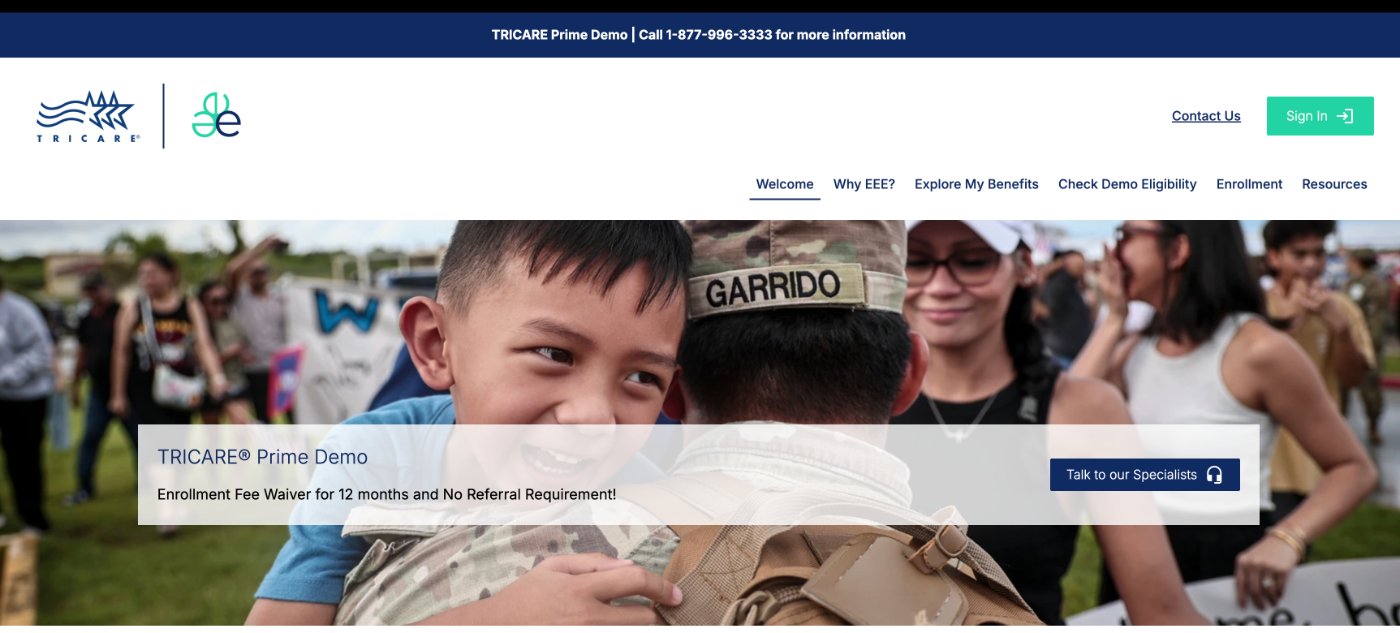
Have ready:MyAuth / CAC·DEERS up to date·Sponsor’s DoD ID number
If you’re already enrolled in TRICARE Prime with TRICARE East and want to switch to the TRICARE Prime Demo, use enrolltricare.com or enroll by phone instead.